To Update Or Not To Update
The typical recommendation in the world of software has been to update to the latest version as soon as possible. New versions often have security fixes and resolved vulnerabilities. Of course, updating right away didn’t always work out well. Sometimes a new release introduced more issues than it resolved, or there were major changes that ruined the user experience. But for the most part it was still the best approach from a security perspective.
In the WordPress ecosystem, you can have plugins auto-update and I’ve had that enabled for all plugins in the WordPress installations I manage. I’m reconsidering that decision based on a few recent events.
Attackers have bought popular WordPress plugins, giving them access to potentially hundreds of thousands of installations, then released malicious updates.
The issue isn’t isolated to WordPress. The same thing has happened numerous times to web browser extensions, which auto-update whether you like it or not. Attackers have bought the extension from the original owner, or paid existing maintainers to introduce malware. It’s hard to blame the maintainers when they’re devoting their time for free and often deal with complaints from entitled users.
Regardless of the reasons behind the attacks, you’re left with a conundrum: Do you update to the latest version and risk supply chain attacks or do you hold off and hope you’re not exploited by a known vulnerability?
An approach used by package managers such as Bun and pnpm for Javascript’s NPM packages is a cooldown or delay. This provides time for third party malware scanners to discover issues before you install the update. Attackers have thwarted these somewhat by releasing delayed attacks, where the initial release shows no signs of trouble, then a backdoor is triggered several months later.
Although it’s not available for WordPress plugins, you could simulate the same behavior by keeping track of each plugin release and manually updating a week or so after. It’s clearly not ideal.
We rely on so many dependencies maintained by a large number of developers, but what’s a better alternative? It’s our reality and we’ve known about it for years.
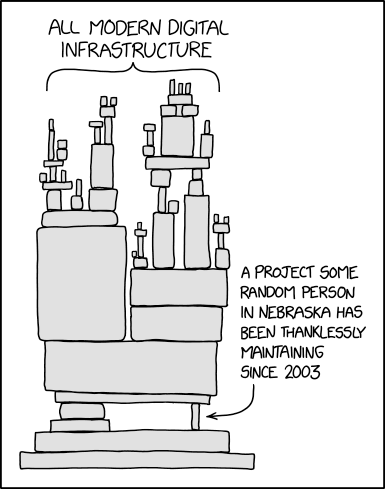
I wish I had a better solution, but I’m not aware of a good, clean fix. I’ve reduced the number of WordPress plugins and browser extensions I use to reduce the attack surface. And of those I still use, I selected ones with tens of thousands of installs in the hopes that someone will detect an issue and warn the rest of us before too much damage is done.